
Making a donation
Donating to a Koolay-powered nonprofit takes about 60 seconds. Here's what to expect.
Find the donation page
Most nonprofits put a Donate button in their main navigation. Click it.
You'll usually land on a Donation Center page first — a hub with options:
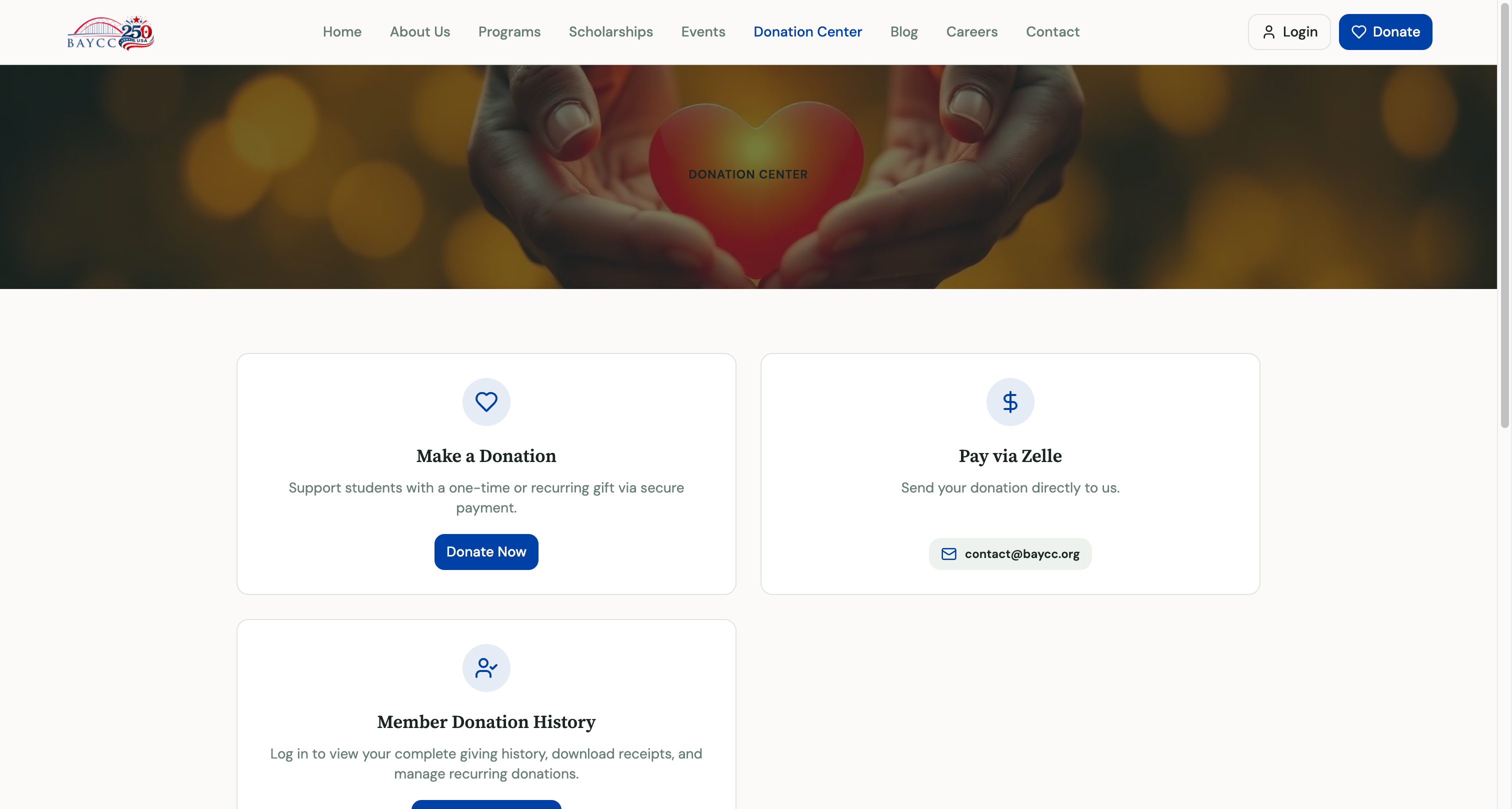
- Make a Donation — credit/debit card via Stripe.
- Pay via Zelle — send directly from your bank.
- Member Donation History — for returning donors who already have an account.
Click Donate Now to open the donation form.
The donation form
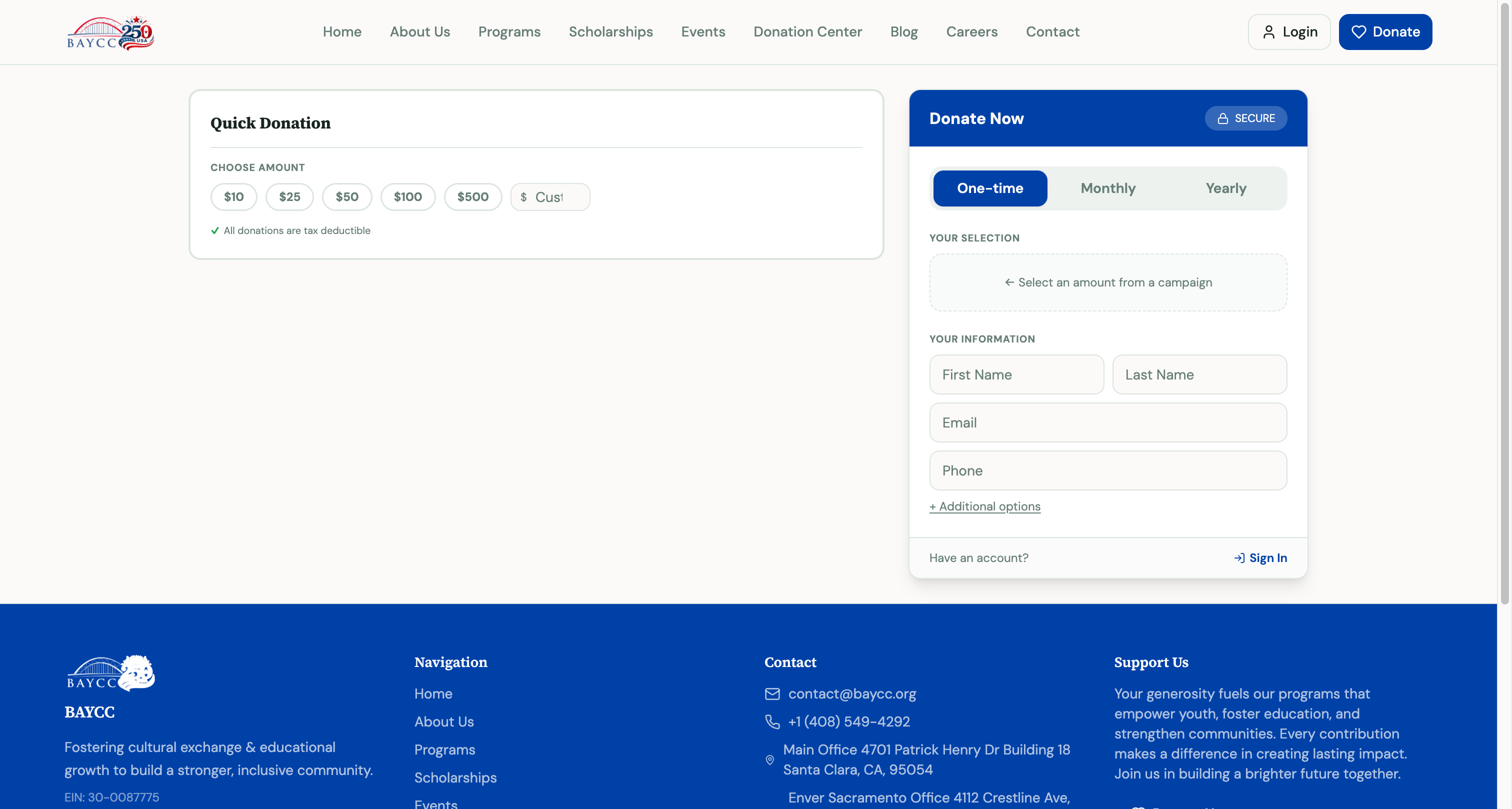
You'll see three things:
1. Choose an amount
Suggested amounts ($10, $25, $50, $100, $500) or type your own. Most nonprofits also let you pick a frequency:
- One-time — single charge today.
- Monthly — same amount every month, automatic.
- Yearly — once-a-year recurring.
Monthly is typically the most impactful for the nonprofit (predictable revenue) and easiest to budget on your end.
2. Your information
- First name + last name.
- Email — used to send your tax receipt and (optionally) connect to a donor account.
- Phone (optional) — only if the nonprofit asks.
3. Payment
Most donations use a credit or debit card. Fill in card number, expiration, CVC. The platform never sees your card number — payment is processed by Stripe (used by millions of nonprofits, banks, and stores worldwide).
After donating
You'll see a thank-you page with:
- Confirmation of your donation amount.
- A reminder that your tax receipt is on the way.
- A link to claim a donor account (recommended — see below).
You'll also get an email with:
- Your tax-deductible receipt (PDF).
- Information on the nonprofit's impact.
- A link to manage your donation if you set up recurring.
Claiming a donor account
After your donation, you'll see an option to claim your donor account. This creates a free login that lets you:
- View your full donation history any time.
- Download tax receipts (this year and past years).
- Manage recurring donations (change amount, pause, cancel).
- Update your contact info.
It takes 30 seconds. We strongly recommend it — it makes year-end taxes painless and gives you self-service control.
Learn how to claim your account →
Tax deductibility
Donations to U.S. 501(c)(3) nonprofits are tax-deductible. Your receipt shows the nonprofit's EIN and the deductible amount. Keep it for your tax records.
If you donated in exchange for goods (e.g. a gala ticket where dinner was included), only the portion above the fair market value is deductible — the receipt will state this explicitly.
Common questions
Is my payment secure? Yes. Payment processing is done by Stripe; your card details never touch the nonprofit's servers. The transaction is encrypted end-to-end with industry-standard 256-bit SSL.
Can I donate anonymously? Many forms have an "I'd like to donate anonymously" checkbox. Your donation will still be tax-deductible, but your name won't appear in public donor lists.
How do I cancel a recurring donation? See the recurring guide.
I donated but didn't get a receipt. Check your spam folder. If still missing, contact the nonprofit directly — they can resend.