
Tools Hub
The Tools hub bundles your content production tools — the Media Library, Photo Galleries, Social Media composer, and the AI Assistant — into a single tabbed panel.
It lives under Content → Tools in the sidebar.
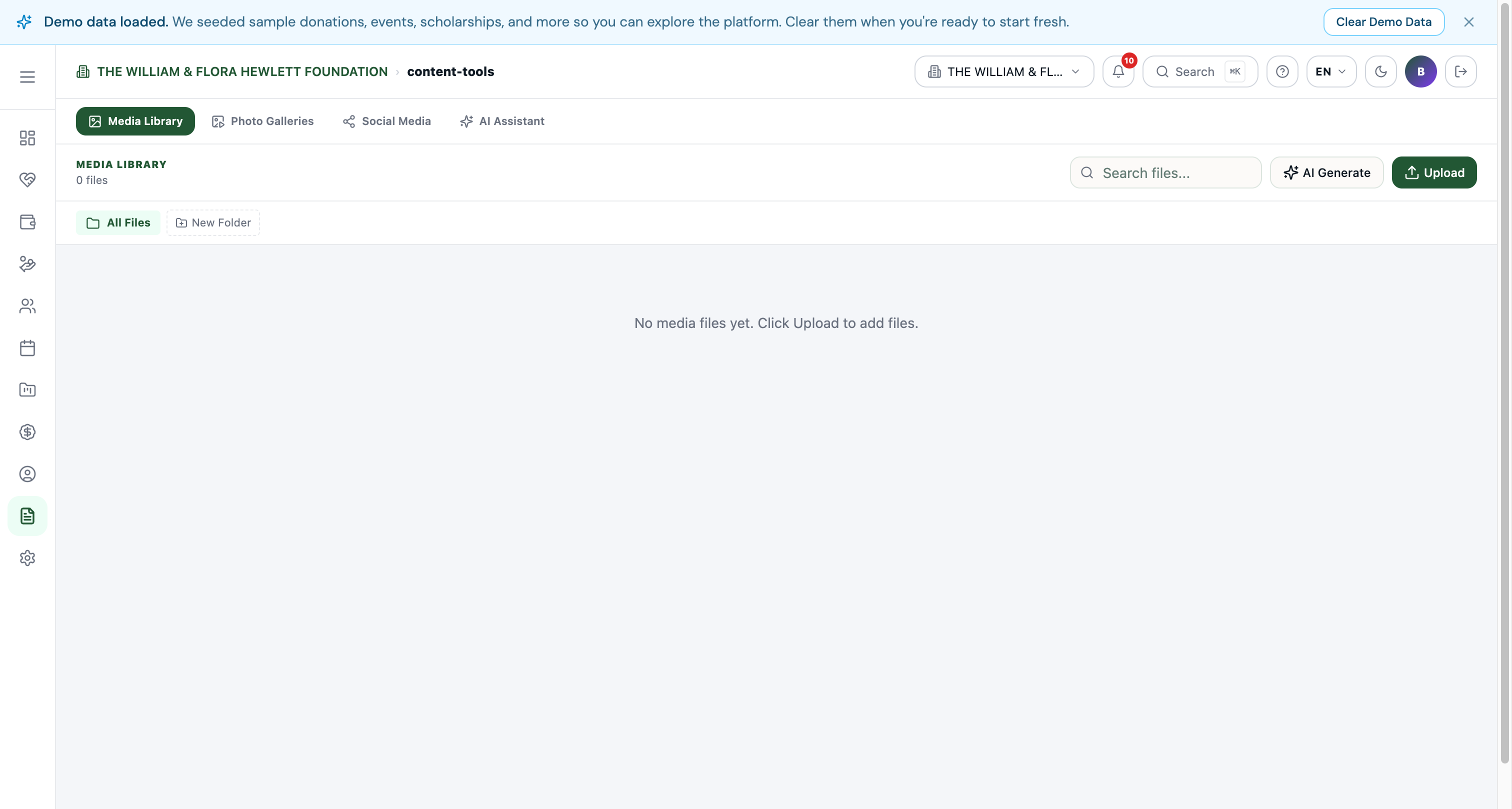
Tabs
| Tab | Purpose |
|---|---|
| Media Library | Central asset store. Upload images, PDFs, videos. Organise into folders. Pick assets from any rich-text editor or content-type image field. |
| Photo Galleries | Public galleries — collections of media files presented as a homepage section or /photos/{slug} page. Each gallery has a cover image, title, description, and a sorted list of media items. |
| Social Media | Compose posts that go to Facebook, Instagram, X, LinkedIn, and Threads in one shot. Schedule the same post across all connected accounts. |
| AI Assistant | Generate blog post drafts, social copy, donation appeal copy, and ad creatives. Uses Koolay's managed AI keys — no provider setup needed. |
Media Library
The Media Library is the single source of truth for every uploaded asset on your site. Everything that needs a file — Hero Slides, blog post hero images, partner logos, board member photos, even Trust Badges in Appearance — points at the Media Library.
Key features:
- Folders for organisation. Drag files between folders.
- AI Generate button — generate images using the managed AI provider (covered by your plan's AI image quota).
- Upload drops files into the current folder.
- Search filters by filename / alt text.
- Picker mode — every place that asks for an image (Appearance logos, content-type image fields, rich-text inserts) opens this same library in a picker dialog.
Photo Galleries
Galleries are collections of images you assemble from the Media Library and publish to a public page. Each gallery has:
- Title + slug.
- Cover image.
- A sorted list of images with optional captions.
- Public URL:
/photos/{slug}.
You can also embed a single gallery in the homepage's Photo Gallery section (configurable from Page Hub → Home Page).
Social Media
Connect your nonprofit's Facebook page, Instagram, X (Twitter), LinkedIn page, and Threads from this tab. Once connected, the composer lets you:
- Write a single message and broadcast to all selected accounts.
- Attach images from the Media Library.
- Schedule for a future time.
- Track post status (sent / scheduled / failed) per platform.
This is intended for announcements — fundraising campaigns, event recaps, milestones — not high-cadence everyday posting.
AI Assistant
A managed Anthropic / OpenAI front-end that knows about your nonprofit's data (mission, EIN, NTEE category, recent donation activity) and produces drafts you can paste into your CMS:
- Blog-post outlines + first drafts.
- Donor appeal copy with target amount + impact framing.
- Event invitation copy.
- Social media post variants for each platform.
Drafts are not saved automatically — review and copy into the relevant content type yourself.
Tips
- Direct deep links still work. If you have an old bookmark for
/admin/media,/admin/social-media, etc., it still opens the underlying panel (without the hub chrome). The hub is the navigation entry point; the standalone routes still exist. - Quota visibility. AI generation counts against your plan's monthly AI image quota — see Account → Usage & Limits for the current month's burn.