
Member directory
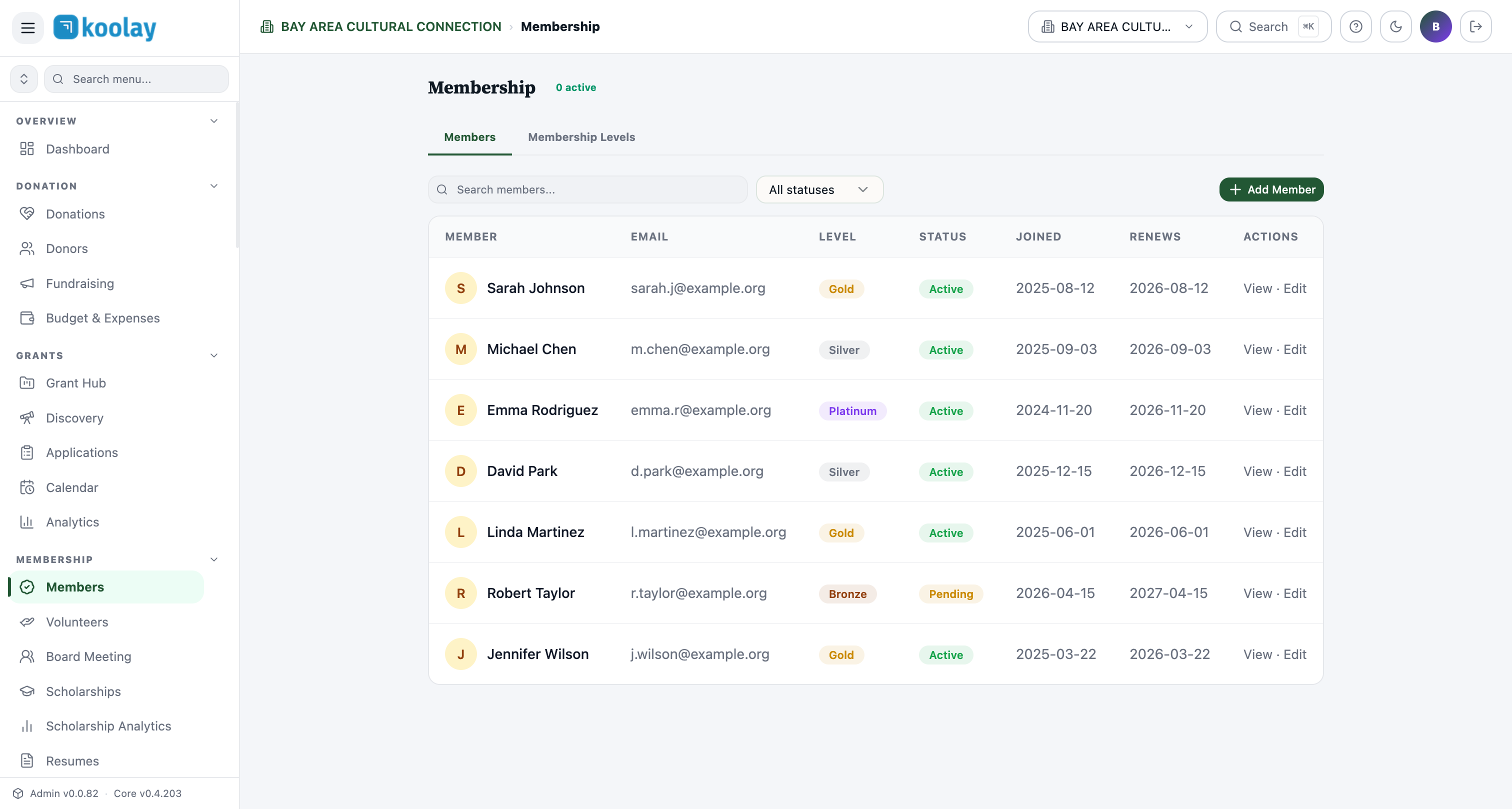
Members are people who have a formal relationship with your nonprofit beyond a one-time gift — annual dues-paying members, lifetime members, founding members, etc.
Membership Levels
Before you have members, you have membership levels. Define them in the Membership Levels tab:
- Name (e.g. "Bronze", "Silver", "Gold", "Founder").
- Annual dues ($25, $100, $500…).
- Benefits — free-form list (e.g. "Quarterly newsletter", "Event discount", "Recognition on website").
- Term — how long membership lasts (typically 1 year, sometimes "lifetime").
Adding members
Three ways:
- Member self-signup — public form on your website (
/membership); donor pays dues, account is created automatically. - Manual add — admin enters the member directly via the Add Member button. Use this for paper applications or grandfathered members.
- Import — bulk CSV import for migrating from another system.
What each row shows
- Member — name with avatar.
- Email — primary contact.
- Level — membership tier badge (color-coded by level).
- Status — Active, Pending (paid but not approved), Expired, Cancelled.
- Joined — first sign-up date.
- Renews — next renewal due date.
- Actions — view, edit, renew, cancel.
Renewals
Memberships expire after their term. Koolay automatically:
- Sends a renewal reminder 30 days before expiration.
- Sends a follow-up reminder 7 days before.
- Marks the member Expired the day after.
- Sends a final win-back email 14 days post-expiration.
If the level is set to auto-renew (and the member opted in at signup), renewal is charged automatically and they continue uninterrupted.
Member-only content
You can gate website content to members:
- In Page Builder, mark a page or section "Members only".
- Public visitors see a "Sign in to view" prompt.
- Members see the content directly.
Useful for member directories, exclusive newsletters, board archives, etc.
Member self-service
Members manage their own profile at /myconsole:
- Update contact info.
- Renew or cancel membership.
- Download membership card / certificate (if enabled).
- View payment history.
Common patterns
- Three or four levels is typical — too many overwhelms the public-facing page.
- Set the lowest tier high enough to matter — a $5 membership doesn't generate revenue worth the support burden.
- Annual gala = membership push — co-promote with year-end campaigns; "buy a ticket, become a member" upsells well.