
Direct mail fundraising
Print and mail postcards or letters to foundation program officers — without owning a printer, buying envelopes, or visiting a post office. Koolay integrates with Click2Mail to physically mail anything, anywhere in the U.S., for as little as 25¢/postcard.
When to use direct mail
Direct mail beats email when:
- You're trying to reach a foundation program officer whose inbox is full of solicitations.
- You're targeting an older donor demographic that responds better to print.
- The funder explicitly asks for a mailed cover letter.
- You're sending a physical thank-you that creates a tactile memory.
Email is better for high-volume / low-commitment touches. Mail is better for high-value / personal-feeling outreach.
The pricing
- 4×6 postcard — ~25¢ each (paper + printing + first-class postage).
- Letter (1 page, #10 envelope) — ~89¢ each.
- Letter (multi-page) — slightly more.
No minimum order. You can send a single postcard for 25¢.
The dashboard
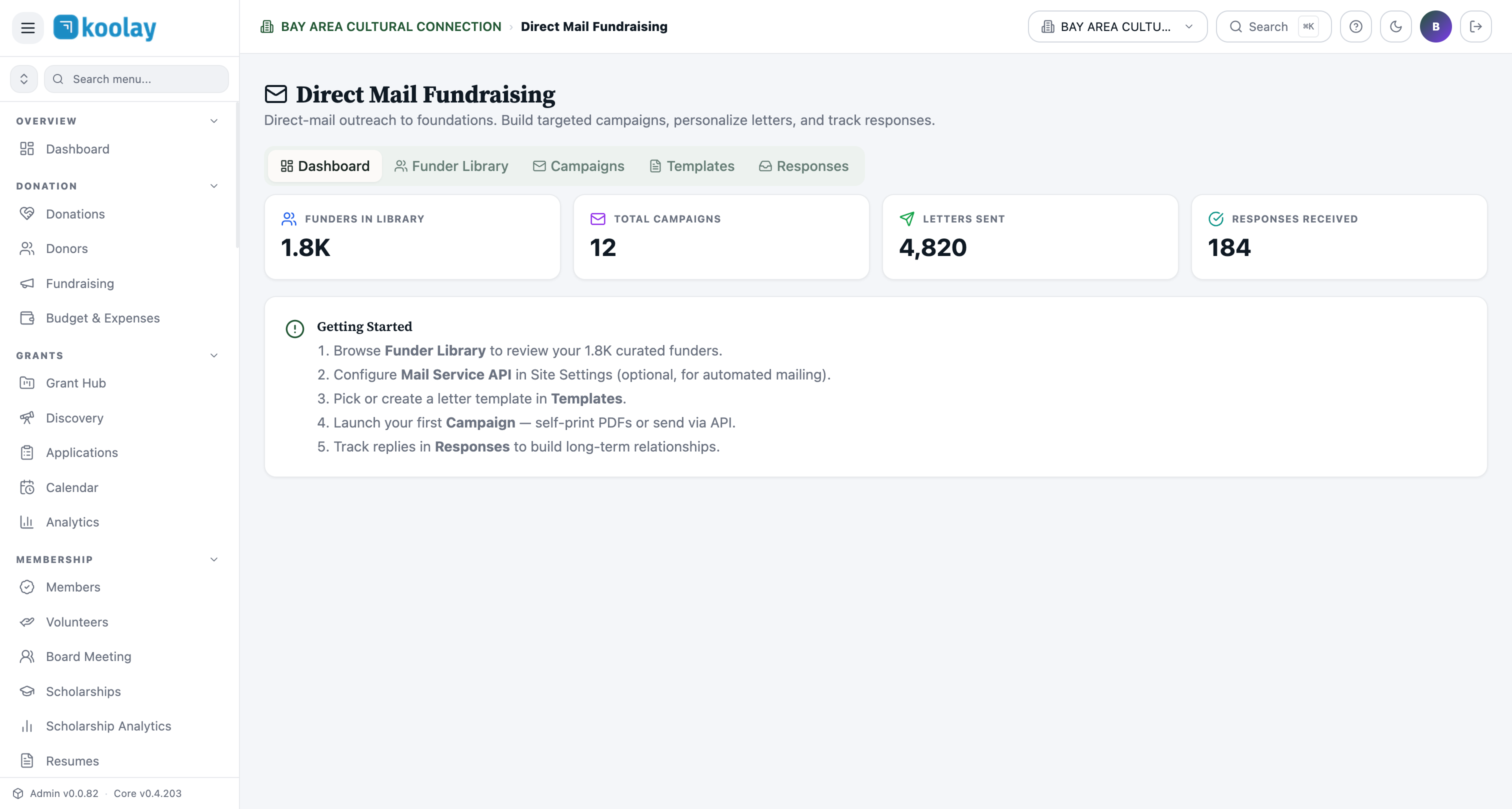
Direct Mail Fundraising → Dashboard shows:
- Funders in library — your saved targets.
- Total campaigns — count of campaigns you've run.
- Letters sent — total pieces mailed across all campaigns.
- Responses received — replies you've logged.
The five tabs
- Dashboard — summary stats.
- Funder Library — your curated list of foundations to mail.
- Campaigns — past + current campaigns.
- Templates — letter and postcard templates you've created.
- Responses — replies received (logged manually after the fact).
Building a campaign
- New campaign → name + objective.
- Pick template — letter or postcard.
- Pick recipients — from your library, by NTEE/geo filter, or upload a CSV.
- Personalize — mail-merge fields (
{{Funder Name}},{{Org Name}},{{Custom Project}}). - Preview — see the merged version per recipient.
- Send — Click2Mail prints, stuffs, stamps, and mails.
Templates
Build templates in Templates:
- Letter editor with rich text + logo.
- Mail-merge variables — pulled from funder fields and project context.
- Save as reusable templates.
Letterhead and signatures
- Upload your letterhead (PNG with logo + address) and it auto-applies to all letter templates.
- Signature image — scan your director's signature; it goes on every letter.
Tracking
USPS provides per-piece tracking when available. The campaign view shows:
- Sent date.
- USPS scan status (in transit / delivered / undeliverable).
- Cost per piece.
Logging responses
When a funder replies (mailed reply, email, phone call), log it in the Responses tab against the original campaign. This builds a long-term database of who responds — useful for prioritizing future outreach.
Common patterns
- Postcard ahead of LOI — 25¢ to introduce your nonprofit before the formal $0.89 letter.
- Annual report mailing — once a year, mail your annual report PDF to top funders.
- Follow-up after rejection — courtesy thank-you postcard 2 weeks after a rejection. Long-term relationship-building.