
Applications & pipeline
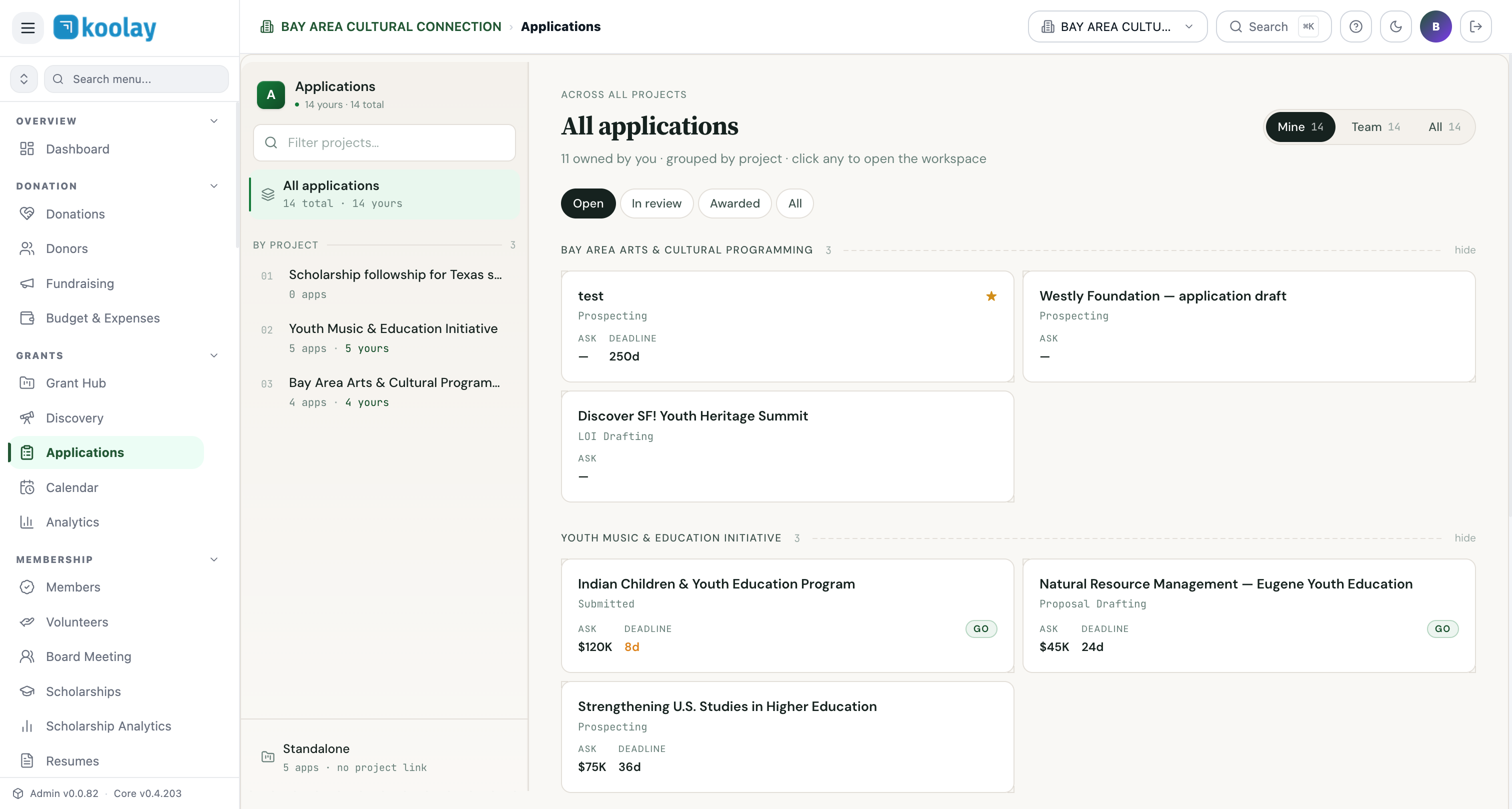
Once a funder is interesting enough to chase, you create an application — the working file that lives through every stage from "we're prospecting" to "submitted" to "awarded" or "rejected."
Application lifecycle
Applications move through a fixed sequence:
prospecting → researching → loi_drafting → loi_submitted →
proposal_drafting → submitted → under_review →
awarded ✦  →  reporting  →  closed
                     ↘ rejected / withdrawn
You advance stages two ways:
- Drag-and-drop the card in the Pipeline Kanban view.
- Inline edit in the application's detail view.
Every stage transition is logged with a timestamp — the audit trail is automatic.
Three views: Mine, Team, All
Tabs at the top:
- Mine — applications you own.
- Team — applications anyone on your team owns.
- All — every application (your view depends on permissions).
Grouped by project
Applications are grouped by project so you see the full strategic picture. A project might have 5 applications in flight: 2 prospecting, 1 LOI submitted, 1 proposal drafted, 1 awarded.
Application detail view
Click any application to open its workspace:
- Header: title, funder, ask amount, deadline, current stage.
- Tabs:
- Overview — proposal narrative, LOI text, budget, key team members. - Documents — attachments (cover letter, project narrative, budget, LOI, resumes, 990, board list, etc.). - AI assistant — drafts proposal text, LOI, budget narrative on demand. See AI drafting. - Activity — every action taken on this application, with timestamps. - Reporting (post-award) — interim and final reports.
What happens when you mark Awarded
Clicking Award is the magic moment:
- Application status flips to
awarded. - A new project is created in the Project Management Hub, pre-populated with budget, period of performance, and any reporting requirements from the grant.
- The original application is linked to the new ops project (you can navigate between them).
- A celebratory toast appears. You earned it.
From that point forward, work happens in Project Management Hub — drafting team is done, delivery team takes over.
Filtering and sorting
The toolbar has filters for stage and project. Sort by deadline (most urgent first), ask amount (biggest first), or recently created.
Common patterns
- Daily: scan the kanban; move anything stuck > 2 weeks.
- Weekly: project review — for each project, are we drafting enough? Submitting enough? Winning enough?
- Quarterly: analytics review — which funder types convert? Where should we put more effort?
Pipeline kanban
Click Pipeline Kanban in the Grants Hub left sidebar to see every application as a card in a stage column. Drag cards left/right to advance stages. Best view for status meetings — the team can see the whole pipeline at once.