
Platform overview
Koolay is an all-in-one platform for nonprofits. One login, one dashboard — and twelve workflows that normally live in separate tools: donations, donors, members, volunteers, events, scholarships, grants, operations, the public website, email, social, and direct mail.
What you get out of the box
- Public website + CMS — drag-and-drop pages, multi-language, custom domain, SEO.
- Donation system — Stripe Connect, recurring giving, donor CRM, lifetime value, automated tax receipts.
- Grants Hub — 1.9M nonprofit DB + 184K funders, AI-matched opportunities, AI-drafted proposals, pipeline kanban.
- Project Management Hub — projects, tasks, budgets, team & timeline. Where your awarded grants go to be delivered.
- Membership — directory, volunteer hour tracking, board meetings.
- Events — paid RSVP, ticketing, badges, QR check-in via the Android tablet panel.
- Scholarships — application forms, multi-stage review, applicant analytics.
- $120K/yr Google Ad Grant — application guide, compliance monitoring, campaign templates.
- Email & marketing — newsletter campaigns, drip sequences, social media composer, direct-mail fundraising via Click2Mail.
Where things live
The admin panel at admin.koolay.com is your control center. The left sidebar groups every feature into nine categories:
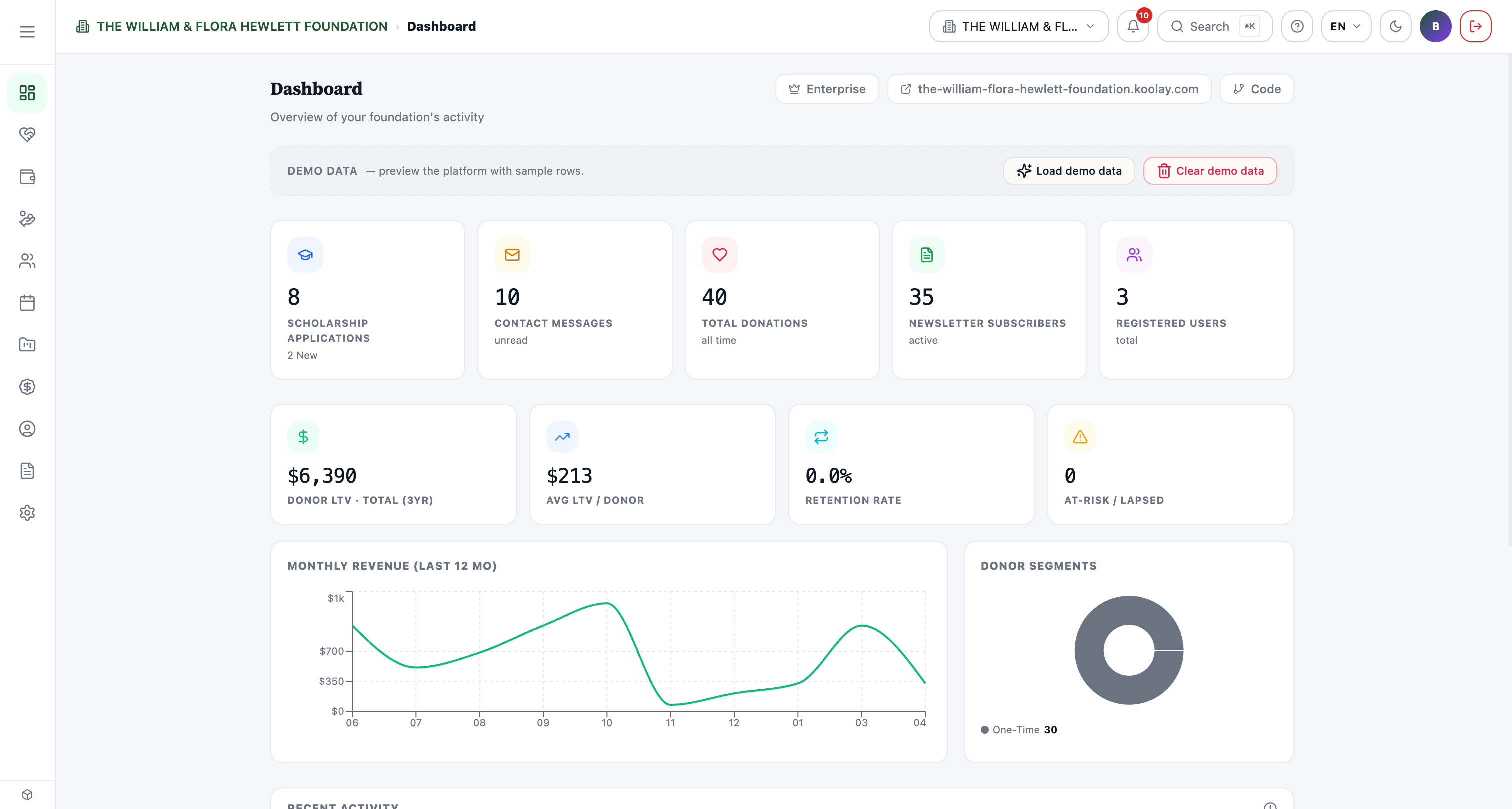
- Overview — your dashboard, the at-a-glance pulse of the organization.
- Donation — donations, donors, fundraising, budgets.
- Grants — discovery, applications, calendar, analytics.
- Membership — members, volunteers, board.
- Events — events, forms, surveys, badges, programs.
- Project Management — project management hub, reports, team.
- Google Ads — your $120K/yr Google Ad Grant.
- Account — users, departments, domains, billing.
- Content — page builder, blog, media library, social media.
- Settings — appearance, payment gateway, languages, API keys.
The exact menu depends on your subscription plan; features outside your plan show a small "lock" badge.
Two surfaces, one platform
There are two browser apps:
- Admin (admin.koolay.com) — staff and volunteers manage everything here.
- Public site (your nonprofit's domain) — what donors, members, and applicants see. Generated automatically from your CMS content.
There's also a third surface: the Koolay Mobile Panel Android app, used at events for QR check-in, on-spot donations, and ticket validation.
Where to go next
- Setting up for the first time? → First login & setup wizard
- Already running? → Reading your dashboard
- Donor or supporter? → End-user guide