
Volunteers & hour tracking
Volunteers are tracked separately from members or donors — many people volunteer without paying dues or donating, and tracking their hours matters for grants, board reports, and IRS filings.
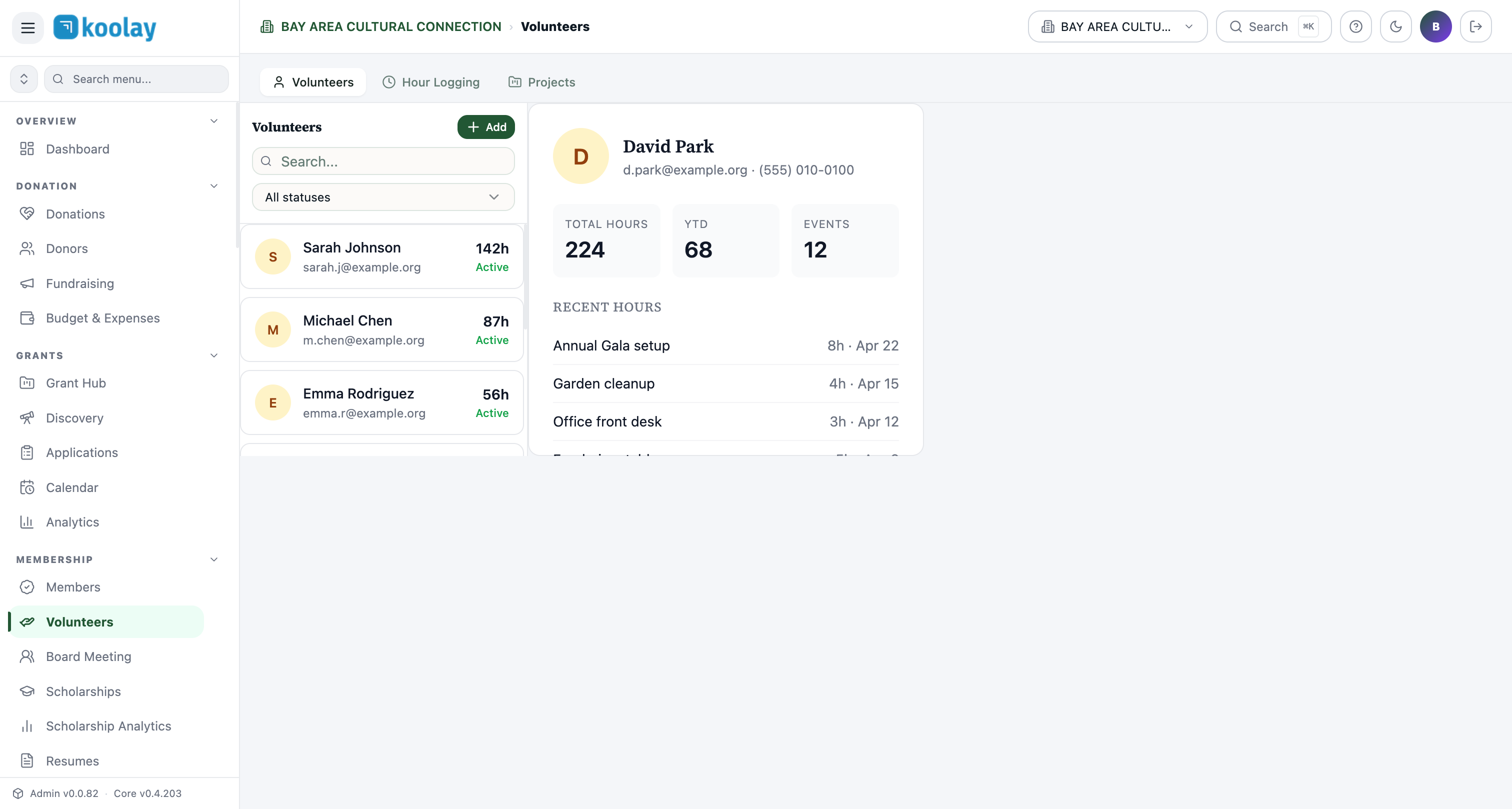
Three tabs
- Volunteers — directory of every volunteer.
- Hour Logging — time-entry interface (volunteers log their own hours, or staff log for them).
- Projects — group volunteer hours by project (e.g. "Annual Gala", "Garden Cleanup", "Front Desk").
Volunteer profile
Click any row in the directory to open the profile:
- Contact info (name, email, phone).
- Total hours and YTD hours.
- Event count (events they showed up to).
- Recent hours log — last several entries with project, date, hours.
- Notes section for skills, availability, restrictions ("can lift", "vegan", "available weekends only").
Logging hours
Three ways:
- Volunteer self-log — at the public site
/volunteer/log, volunteers enter their own hours. Most accurate but requires volunteer engagement. - Staff bulk-log — after an event, a coordinator enters all volunteer hours from a sign-in sheet.
- QR scan — at events using the Koolay Mobile Panel, volunteers can check in via QR; the duration between check-in and check-out becomes their logged hours automatically.
Statuses
- Active — has logged hours in the last 12 months.
- Onboarding — newly registered, hasn't logged hours yet.
- Inactive — no hours in 12+ months.
Reports for grants
Many grants ask "how many volunteer hours did you mobilize this year?" Generate a report from Project Management Hub → Reports → Volunteer Hours:
- Total hours.
- Unique volunteers.
- Hours by project.
- Hours by month.
- Average hours per volunteer.
Export to CSV or PDF for inclusion in grant applications.
Volunteer recruitment
Public sign-up at /volunteer collects: name, email, phone, skills, availability. New sign-ups create a "Onboarding" volunteer in your directory; you confirm and welcome them.
Common patterns
- Tag volunteers by skill — useful when an event needs specific abilities (drivers, bilingual, kid-friendly).
- Recognize milestones — automated email at 10, 50, 100 hours, with thank-you and recognition.
- Convert volunteers to donors — long-time volunteers are excellent prospects for annual giving asks.